文章描述:关于简单的介绍,这篇就不赘述了,主要还是来写一下实际的人工下棋操作以及对应的机器操作的算法处理。
还是先大致说一下算法实现方式,我们之前写的五子棋大部分可能主要是基于机器算法做一个拦截操作,即判断横向、竖向、斜向、反斜向的棋子的数量去直接进行拦截。但是这一篇中主要是使用了一个分配权重的算法,根据权重来匹配我是要去拦截你,还是保持自己的胜利。这个权重可以根据自己的需求适当调整(我也是瞎写的)。
万变不离其宗,无论什么算法,肯定到最后都是根据五子棋的玩法,去解析横竖斜的胜率来进行权衡。.
开发环境:.NET Framework版本:4.5
开发工具: Visual Studio 2013
实现代码:
/// <summary>/// 转换棋子的绘制位置/// </summary>/// <param name="x"></param>/// <param name="y"></param>/// <returns></returns>private Point GetChessPostion(int x, int y){return new Point((int)(x * cellSize.Width) - chessSize.Width / 2, (int)(y * cellSize.Height) - chessSize.Height / 2);}/// <summary>/// 判断胜负/// </summary>/// <param name="x"></param>/// <param name="y"></param>/// <param name="type"></param>private void IsWin(int x, int y, bool type){for (int w = 0; w < winSum; w++){if (wins[x, y, w] == 1){if (!type){userWin[w]++;aiWin[w] = 6;if (userWin[w] == 5){graphics.DrawString("赢", new Font("黑体", 11.0f), new SolidBrush(Color.Red), GetChessPostion(x, y));if (MessageBox.Show("你赢了,是否重新开始?") == DialogResult.OK){Reset();}break;}}else{aiWin[w]++;userWin[w] = 6;if (aiWin[w] == 5){graphics.DrawString("赢", new Font("黑体", 11.0f), new SolidBrush(Color.Red), GetChessPostion(x, y));if (MessageBox.Show("你输了,是否重新开始?") == DialogResult.OK){Reset();}break;}}}}isUserPlay = !isUserPlay;}
/// <summary>/// 人工下棋操作/// </summary>/// <param name="sender"></param>/// <param name="e"></param>private void panel_board_Click(object sender, EventArgs e){if (!isUserPlay){return;}MouseEventArgs mouse = e as MouseEventArgs;if (mouse.X < cellSize.Width || mouse.X > boardSize.Width - cellSize.Width){return;}if (mouse.Y < cellSize.Height || mouse.Y > boardSize.Height - cellSize.Height){return;}int x = Convert.ToInt32(Math.Round((decimal)mouse.X / (decimal)cellSize.Width, MidpointRounding.AwayFromZero));int y = Convert.ToInt32(Math.Round((decimal)mouse.Y / (decimal)cellSize.Width, MidpointRounding.AwayFromZero));Point chessPoint = GetChessPostion(x, y);if (!chessList.Exists(s => s.point == chessPoint)){chessList.Add(new ChessModel { point = chessPoint, type = true });graphics.DrawImage(Properties.Resources.黑棋子, chessPoint.X, chessPoint.Y, chessSize.Width, chessSize.Height);IsWin(x, y, false);SetStatus(x, y, false);if (!isUserPlay){AIChess();}}}
/// <summary>/// AI下棋操作/// </summary>private void AIChess(){int[,] userScore = new int[xCellCount, yCellCount];int[,] aiScore = new int[xCellCount, yCellCount];int max = 0;Point aiChess = new Point();for (int x = 0; x < xCellCount; x++){for (int y = 0; y < yCellCount; y++){if (!chessList.Exists(s => s.point == GetChessPostion(x, y))){for (int w = 0; w < winSum; w++){if (wins[x, y, w] == 1){if (userWin[w] == 1){userScore[x, y] += 100;}if (userWin[w] == 2){userScore[x, y] += 400;}if (userWin[w] == 3){userScore[x, y] += 3000;}if (userWin[w] == 4){userScore[x, y] += 20000;}if (aiWin[w] == 1){aiScore[x, y] += 200;}if (aiWin[w] == 2){aiScore[x, y] += 500;}if (aiWin[w] == 3){aiScore[x, y] += 3400;}if (aiWin[w] == 4){aiScore[x, y] += 30000;}}}if (userScore[x, y] > max){max = userScore[x, y];aiChess.X = x;aiChess.Y = y;}else if (userScore[x, y] == max){if (aiScore[x, y] > aiScore[x, y]){aiChess.X = x;aiChess.Y = y;}}if (aiScore[x, y] > max){max = aiScore[x, y];aiChess.X = x;aiChess.Y = y;}else if (aiScore[x, y] == max){if (userScore[x, y] > userScore[x, y]){aiChess.X = x;aiChess.Y = y;}}}}}Point chessPoint = GetChessPostion(aiChess.X, aiChess.Y);chessList.Add(new ChessModel() { point = chessPoint, type = false });graphics.DrawImage(Properties.Resources.白棋子, chessPoint.X, chessPoint.Y, chessSize.Width, chessSize.Height);IsWin(aiChess.X, aiChess.Y, true);SetStatus(aiChess.X, aiChess.Y, true);}
实现效果:
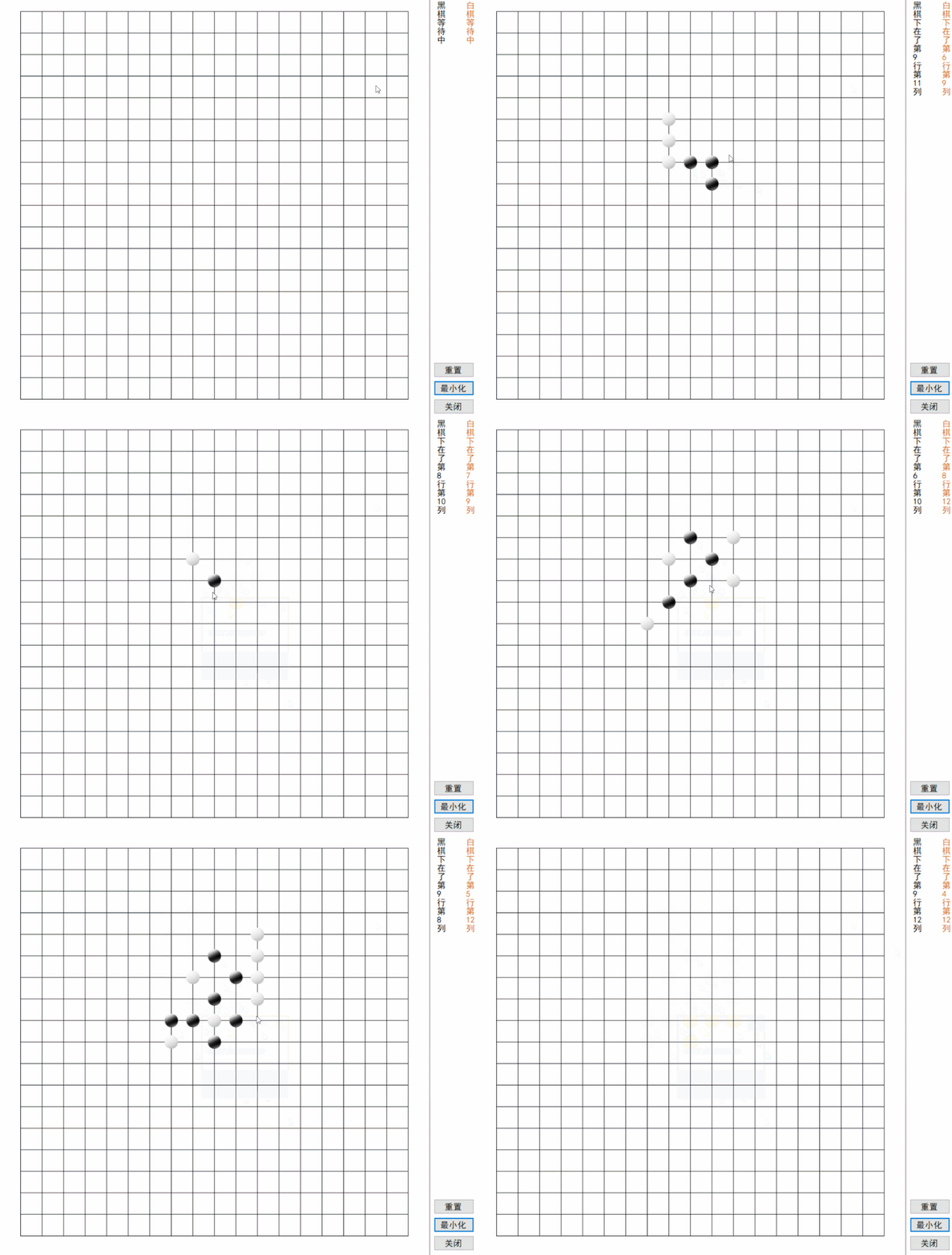
代码解析:自己看代码吧,看懂了就拿来优化下,看不懂就直接下载下来玩玩(除了一个思路引导外,好像也没什么用)